New · DLSS 5 Neural Rendering

DLSS 5 Swapper: Bring DLSS 5 to Your Games

Install, tune and restore DLSS 5 Neural Rendering with one click — in native DLSS games, games without DLSS, and emulators.

Latest version: v2.2.7 · Released Sep 12, 2026 · Free & MIT licensed

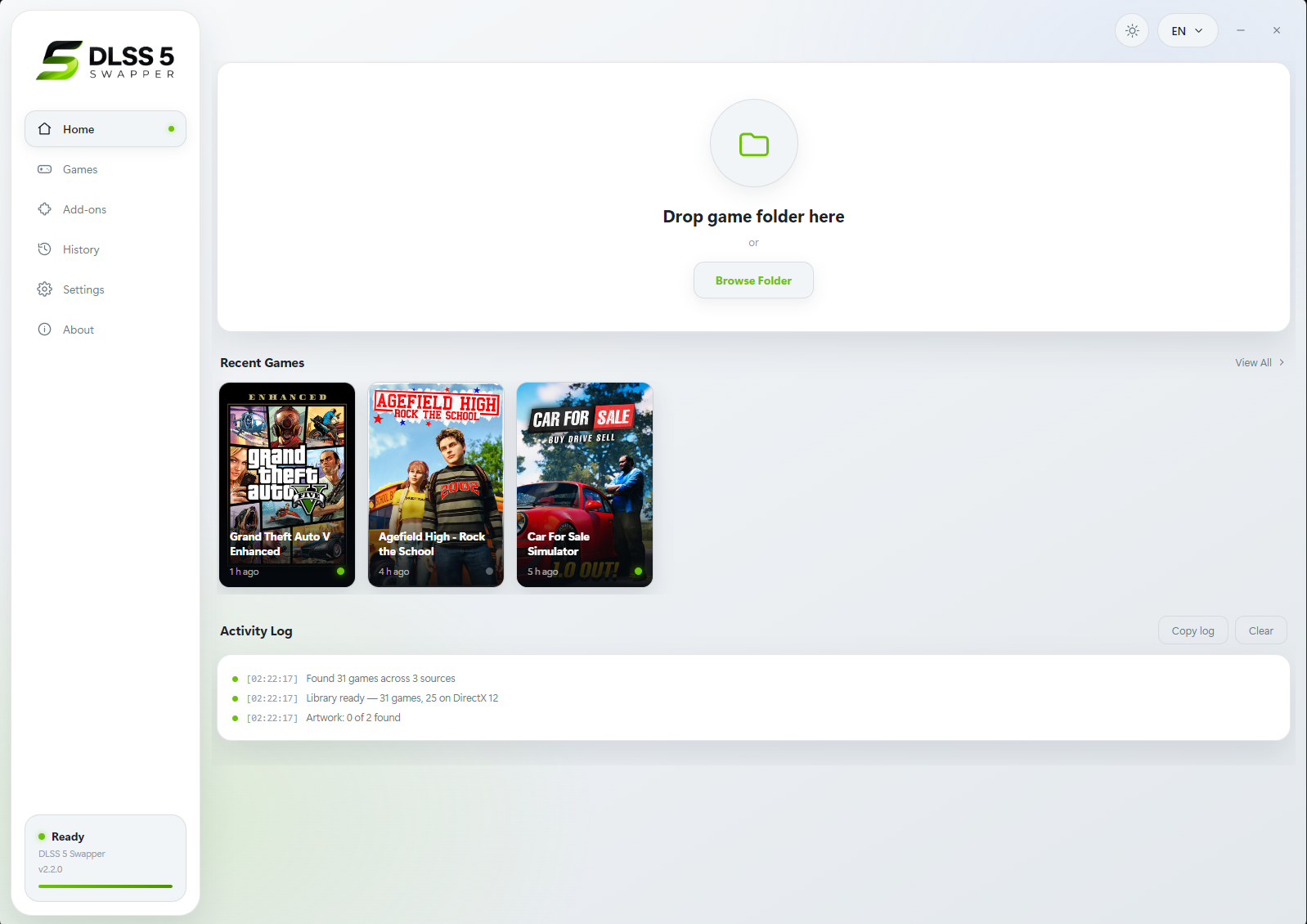
DLSS 5 Swapper home screen

What is DLSS 5 Swapper?

DLSS 5 Swapper is a free, open-source Windows app that installs and manages NVIDIA's DLSS 5 Neural Rendering in PC games. Instead of copying DLLs and editing config files by hand, you pick a game from your library, choose an installation route and click Install. The app takes care of the files, keeps backups, and lets you roll everything back later.

It goes beyond games that already ship with DLSS. Through the DLSS5-Feeder route it can add neural rendering to compatible games that have no DLSS at all, from modern DirectX 12 titles down to DirectX 8 and DirectDraw classics — and even to popular console emulators such as PCSX2, RPCS3, Dolphin and Ryujinx.
DLSS Swapper

Swaps the DLSS / FSR / XeSS DLL version a game already includes. Best for upgrading upscalers in games that support them natively.

Go to DLSS Swapper

DLSS 5 Swapper

Installs DLSS 5 Neural Rendering — including in games and emulators with no DLSS of their own — with live tuning via an in-game overlay.

Download DLSS 5 Swapper

Key Features of DLSS 5 Swapper

One-Click Installation

Install DLSS 5 into native DLSS games, or into compatible non-DLSS games through the DLSS5-Feeder route.

In-Game F8 Overlay

Press F8 while playing to adjust the real DLSS Neural Rendering sliders live, with a resizable panel remembered per game.

Multiple Install Routes

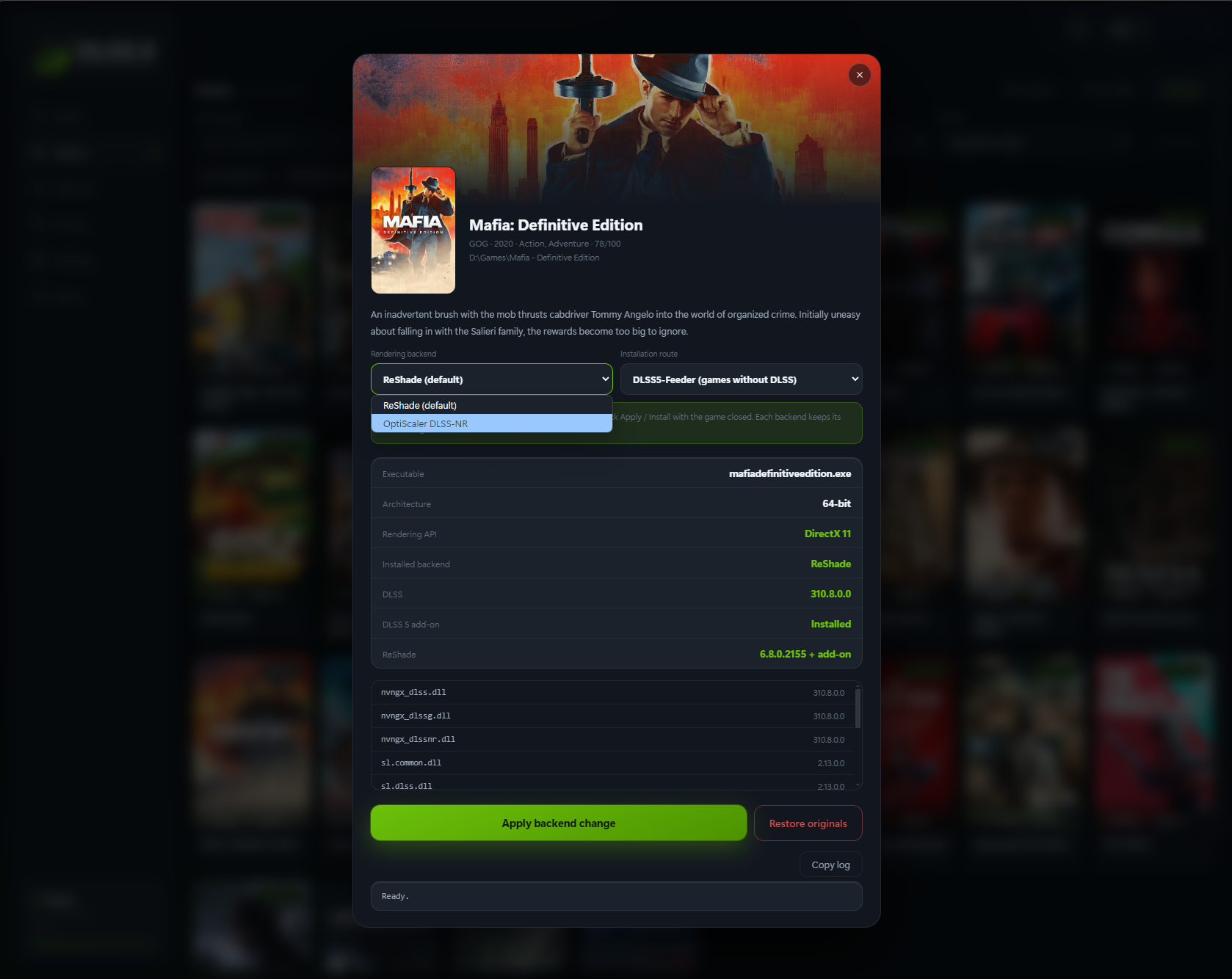
Choose between native RenoDX, DLSS5-Feeder, optional OptiScaler, and a multipass route that runs the neural pass up to ten times per frame.

Backups & History

Original files are backed up automatically. Restore any game with one click and review a full history of every install.

Community Reports

See what worked for other players, filtered to the games on your PC and your exact graphics card, before you install.

Smart Library

Finds Steam, Epic, GOG and Xbox Game Pass games, with filters by graphics API, DLSS status and add-ons, plus light/dark themes.

Supported Game Libraries and Emulators

Steam

Epic Games

GOG

Xbox Game Pass

Manual Folders

Emulators

DuckStation PCSX2 RPCS3 Dolphin PPSSPP Xenia Cemu Ryujinx yuzu / suyu / Eden / Citron / Sudachi shadPS4 Azahar / Citra / Lime3DS melonDS Flycast xemu Vita3K RetroArch mGBA Snes9x Play!

Select the emulator folder and its active renderer, then use the ReShade/Feeder route. Results vary by renderer and game.

System Requirements & Compatibility

Operating system Windows 10 / 11 (64-bit); works with compatible 32-bit and 64-bit games
GPU (ReShade / Feeder) NVIDIA RTX 20, 30, 40 and 50 series
GPU (OptiScaler) 64-bit native DLSS games. Bundled neural model runs on RTX 50 (Blackwell); older cards need a user-supplied modded nvngx_dlssnr.dll. Driver 616.56 recommended
DirectX 12 / 11 Native DLSS, Feeder or eligible OptiScaler games
DirectX 9 / 8 / DirectDraw DX9 32/64-bit; DX8 and DirectDraw via dgVoodoo2 → DX11 → Feeder
Vulkan / OpenGL ReShade / Feeder; eligible Vulkan games can also use OptiScaler
DirectX 10 Not directly supported — pick the game's DX11 mode when available
In-game overlay (F8) 64-bit DX11 / DX12 games, DLSS5-Feeder and RenoDX routes only
Other requirements Visual C++ runtimes (x64, plus x86 for 32-bit games). Some components download on first use

Screenshots

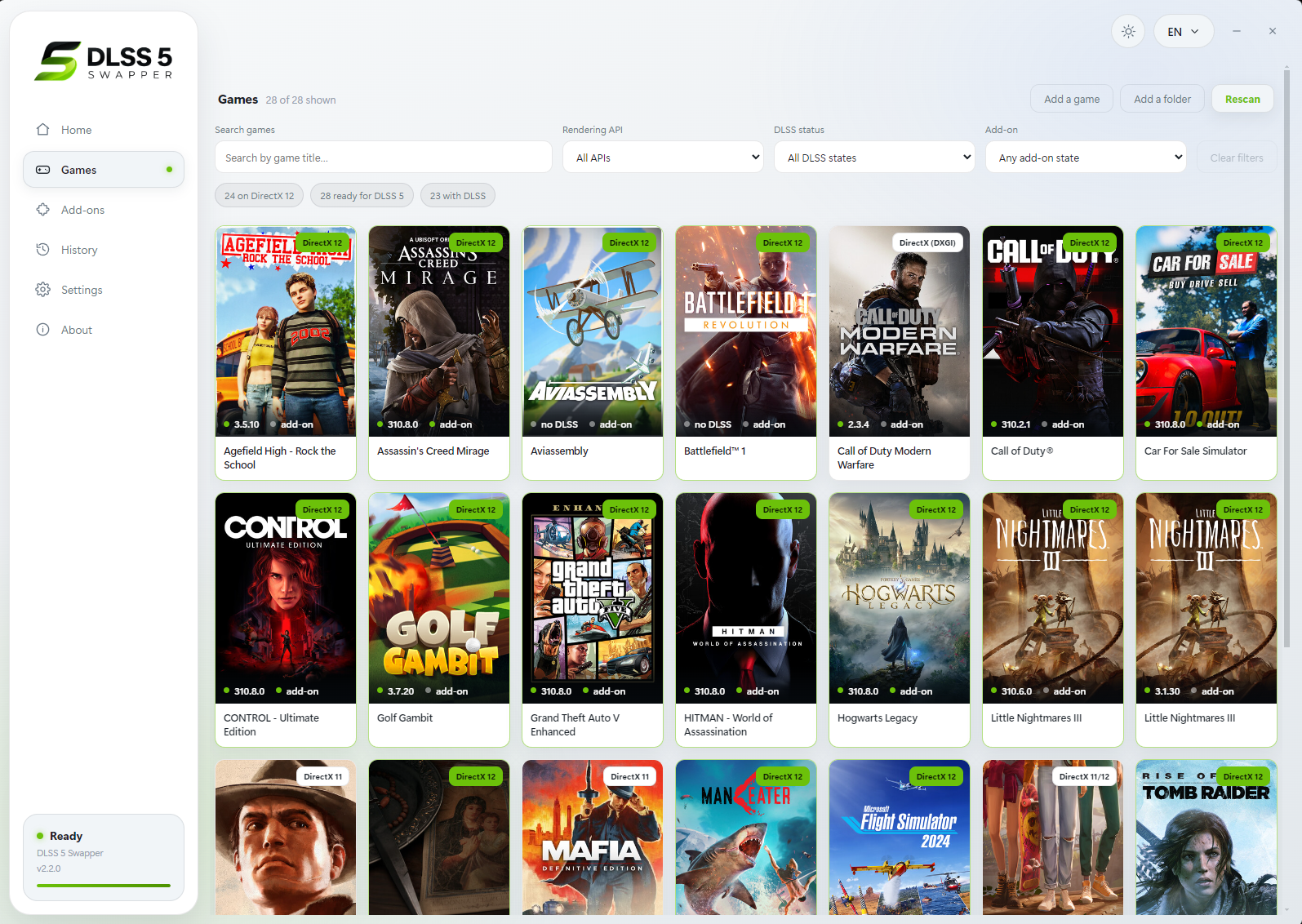
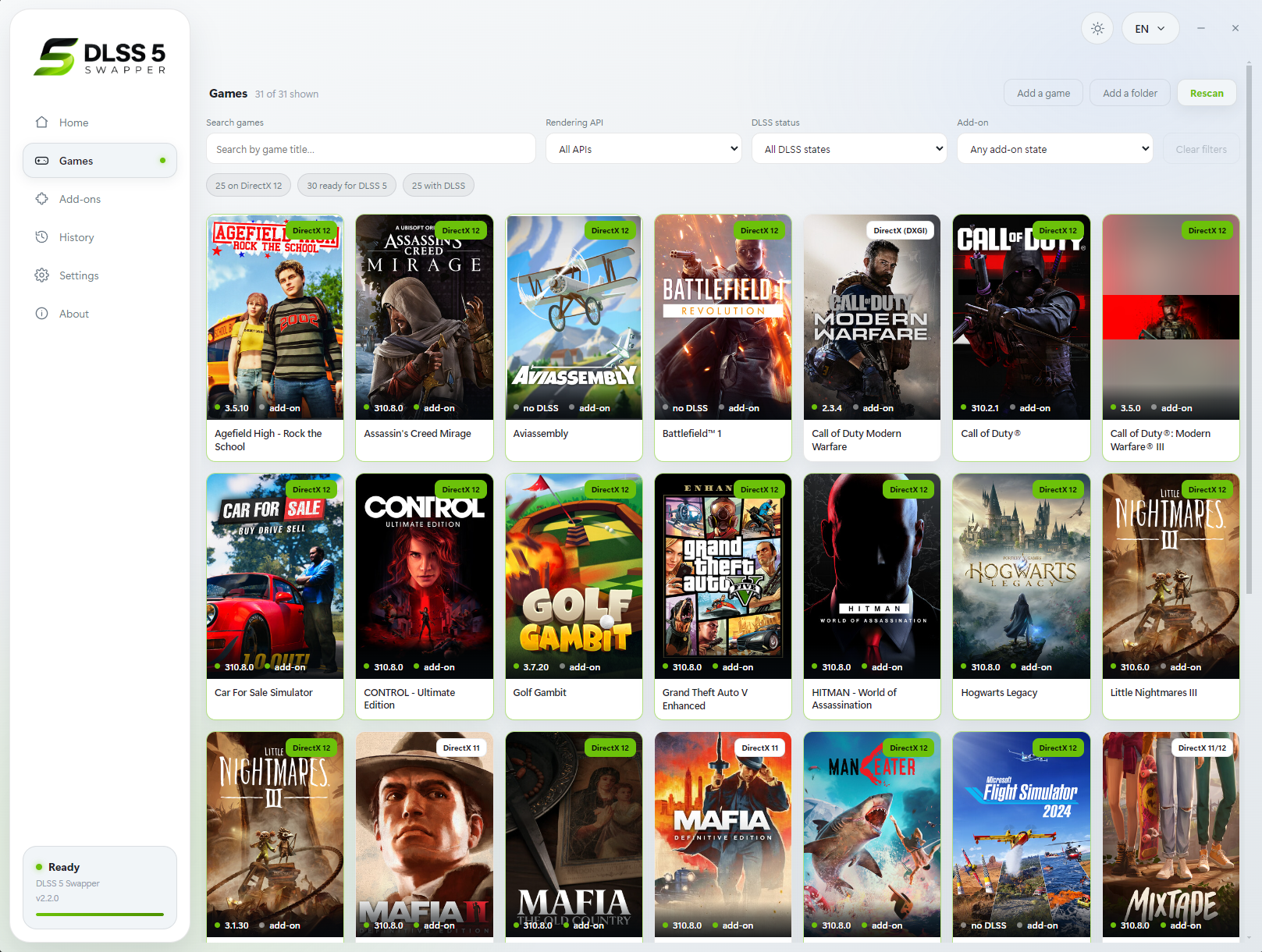
DLSS 5 Swapper games list
Games list
DLSS 5 Swapper library view
Library grouped by store
DLSS 5 Swapper game details page
Game details & install routes

Download DLSS 5 Swapper

Get the latest release from the official GitHub repository

Installer Version

Download

DLSS5-Swapper-Setup-2.2.7.exe · 232 MB

Portable Version

Download

DLSS5-Swapper-2.2.7-portable.exe · 222 MB

v2.2.7 · Windows 10/11 64-bit

Last updated: 2026-09-12

All releases & checksums on GitHub

Changelog

v2.2.7 Latest

Sep 12, 2026
  • Filter Community reviews by your graphics card, and see only reviews for games installed on your PC
  • Community findings now appear right above the Install button on each game page
  • New "My comments" view, sorting options, API tags and reply/mention notifications
  • Fixed DirectDraw games and emulators failing to install (missing dgVoodoo)
  • Games like Prey, Titanfall 2 and Max Payne are no longer reported as "No 3D executable"
  • Clearer messages for Program Files permission errors and driver warnings

v2.2.6

Sep 10, 2026
  • Community chat: one live room with screenshots, game cards, replies and reactions
  • The correct add-on is now applied on every install route

v2.2.5

Sep 9, 2026
  • New multipass route: runs the neural pass up to ten times per frame on DX12, DX11 and 64-bit DX9
  • Nine reported faults fixed

View full changelog on GitHub

How to Install DLSS 5 in a Game

1

Download and Run DLSS 5 Swapper

Grab the installer or the portable build above. Make sure the Visual C++ runtimes are installed.

2

Pick a Game or Emulator

Your Steam, Epic, GOG and Xbox games are listed automatically. Add other games or emulator folders manually.

3

Check Community Reports

Open the game page to see what worked for other players with your graphics card before installing.

4

Choose a Route and Install

Select RenoDX, DLSS5-Feeder, OptiScaler or multipass and click Install. Original files are backed up first.

5

Tune In-Game with F8

Launch the game and press F8 to open the overlay and adjust neural rendering settings live.

Before you install

  • Avoid games with anti-cheat — injection can cause crashes or account bans. The app warns you but never bypasses anti-cheat.
  • Compatibility is not guaranteed and existing mods may conflict. Keep backups.
  • Games under Program Files may require running the app as administrator.

Frequently Asked Questions

What is the difference between DLSS Swapper and DLSS 5 Swapper?

DLSS Swapper (by beeradmoore) swaps the DLSS, FSR and XeSS DLL versions a game already ships with. DLSS 5 Swapper (by Rakan Alkhaldi) is a separate project that installs DLSS 5 Neural Rendering into games, including games and emulators without native DLSS, through routes such as DLSS5-Feeder, RenoDX and OptiScaler.

Can DLSS 5 Swapper add DLSS 5 to games without DLSS?

Yes. The DLSS5-Feeder route works with compatible non-DLSS games on DirectX 9, 11, 12, Vulkan and OpenGL, and older DirectX 8 and DirectDraw games through dgVoodoo2. Compatibility varies per game.

Which graphics cards does DLSS 5 Swapper support?

The ReShade / Feeder routes target RTX 20, 30, 40 and 50 series cards. The bundled OptiScaler neural model runs on Blackwell (RTX 50) GPUs; older cards need a user-supplied modded nvngx_dlssnr.dll.

Is DLSS 5 Swapper safe to use in online games?

Be careful. The app shows a red warning for games with anti-cheat but does not bypass it. Injecting into protected games can cause crashes or account bans, so avoid using it in competitive online titles.

How do I remove DLSS 5 from a game?

Right-click the game in DLSS 5 Swapper and choose Restore originals. The app backs up original files before installing. Uninstalling the app itself does not touch game folders, so restore games first.

Is DLSS 5 Swapper free?

Yes. It is free and open source under the MIT license, and available in 38 languages including right-to-left support for Arabic, Persian and Urdu.